How to Blur the Background in Portraits – 3 Things to do
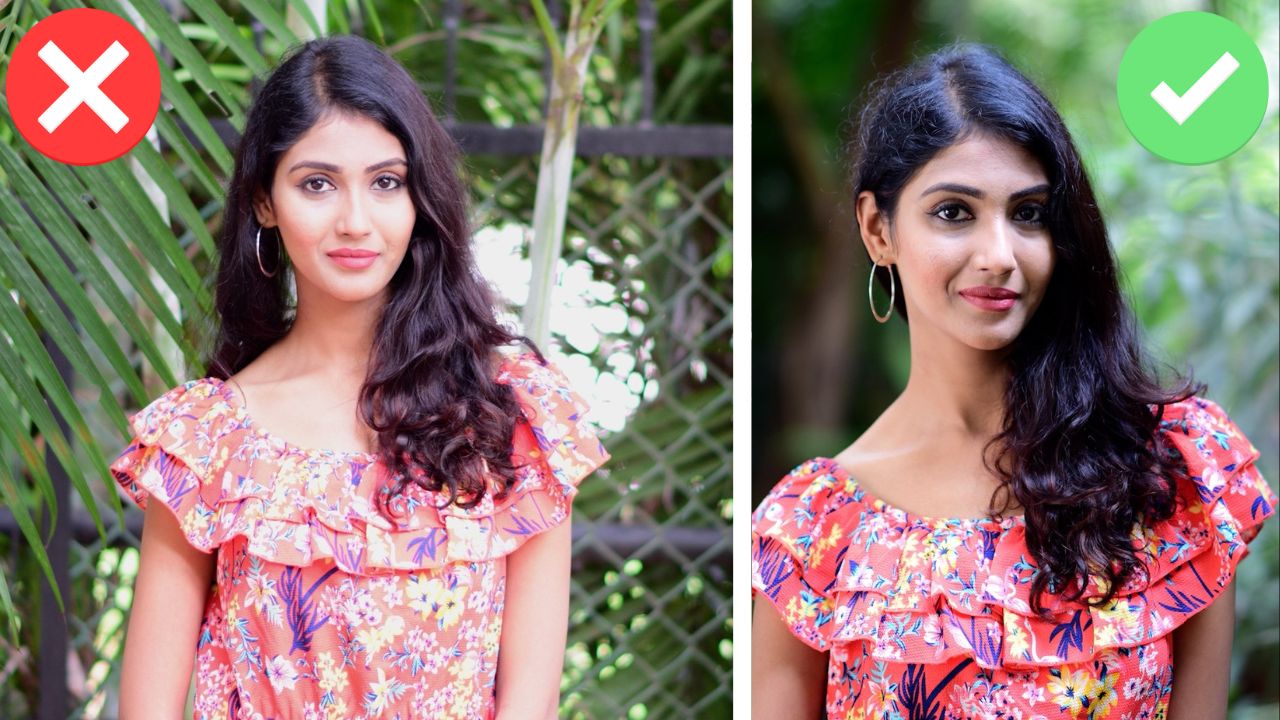
In this video we will be learning how to blur the background when shooting portraits. We will be learning about three important factors that go into effectively blurring the background.
If you don’t pay attention to all these factors, then even with a fast lens, which allows the usage of a wider aperture like f1.8, you can still end up getting shots in which the background doesn’t seem out of focus. Here is the video:
This video is from our Photography for Beginners course, which has 45 videos and 7 hours of video content. You can access the full course via Udemy, using the link below:
Photography for Beginners course
Video Summary
This video demonstrates three key techniques for achieving a blurred background (bokeh) in portrait photography to better isolate the subject.
Summary of Techniques
- Use a Low F-Stop Number: To create a shallow depth of field, you should use the smallest f-stop number your lens allows. In this video, the photographer uses f/1.8 to maximize the blur potential [00:34].
- Increase Distance Between Subject and Background: Even with a low f-stop, if the subject stands too close to the background, it will remain in focus [01:08]. Moving the subject further away from the background pushes that background out of the depth of field, making it appear more blurred [02:02].
- Decrease Distance Between Photographer and Subject: The closer you are to your subject, the more the background will blur. This is often called “filling the frame” [05:06]. You can achieve this by physically walking closer, zooming in with a lens, or asking the subject to move toward the camera [03:30].
Practical Tips
- Reciprocal Rule: To avoid camera shake when shooting handheld, ensure your shutter speed is at least the reciprocal of your focal length (e.g., at least 1/85 for an 85mm lens) [00:11].
- Portrait Orientation: When moving closer to a subject to fill the frame, switching from landscape to portrait orientation helps fit the subject comfortably within the shot [04:06].
By combining a wide aperture (low f-stop), a distant background, and a close subject-to-camera distance, you can create professional-looking portraits with a highly isolated subject [06:18].