Photography 101 – How to Attach a Lens to a DSLR Camera
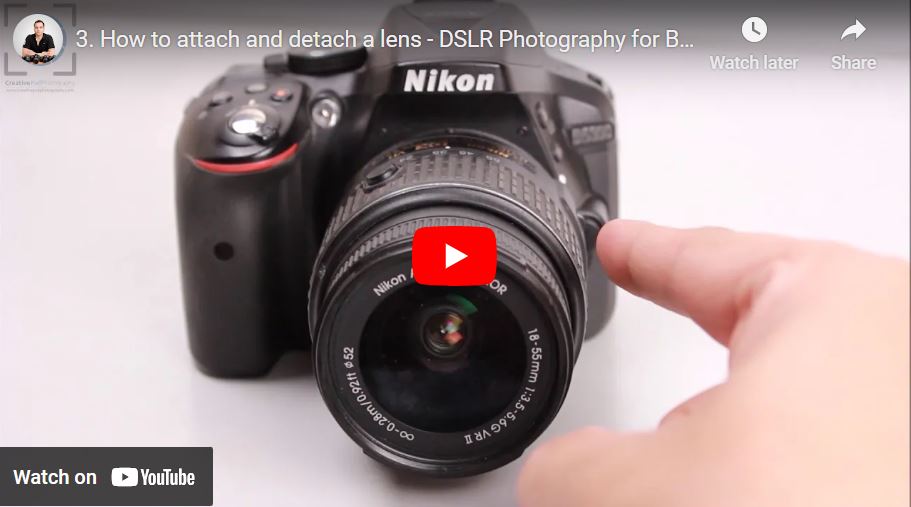
Being able to attach and detach a lens is one of the most fundamental skills in photography. You can watch the videos below which shows you how to do this. Even though this video shows the demo on a Nikon DSLR (D5300), the same method can be used for any other brand like Canon and Sony. Even mirrorless cameras use the same method to mount the lens.
This video is from our Photography for Beginners Course.
Video Summary:
This introductory video highlights the importance of the lens in DSLR photography. The host explains that a key feature of a DSLR is the ability to attach and detach different lenses from the camera body. The video demonstrates how to safely remove a lens by pressing the lens release button and rotating it, and how to reattach it by aligning the white dots and twisting until it clicks. This interchangeability allows photographers to use specialized lenses for different purposes: wide-angle lenses for landscapes, telephoto lenses for distant subjects (like wildlife), and macro lenses for extreme close-ups of small subjects. The video promises a deeper dive into lens types and naming conventions in upcoming lessons.
Timestamps:
0:09 – Introduces the lens as one of the most important pieces of equipment in DSLR photography.
1:00 – Demonstrates attaching/detaching a lens:
* 1:18 – Locates the lens release button on the camera body.
* 1:29 – Presses the button and rotates the lens to detach it.
* 1:53 – Shows how to reattach: Align the white dot on the lens with the dot on the camera mount.
* 2:05 – Rotates the lens until it clicks, indicating it is securely locked.
2:20 – Explains the advantage of interchangeable lenses: You can swap lenses to suit different photographic needs.
* 2:29 – Wide-angle lens: For capturing wide landscape shots.
* 2:47 – Telephoto lens: For capturing distant subjects (like wildlife).
* 2:57 – Macro lens: For extreme close-ups to capture fine details of small subjects (like a flower).
3:19 – Teases that future videos will explore lens types and naming conventions in more detail.